Installation
Install zgrok on macOS, Linux, or Windows
Quick install
macOS (Apple Silicon)
curl -fsSL https://zgrok.io/install.sh | shIntel Macs are not supported yet, and the installer says so rather than installing a binary that cannot run. If you need Intel support, tell us at support@zgrok.io.
Linux (x64)
curl -fsSL https://zgrok.io/install.sh | shIt needs glibc 2.28 or newer, which covers RHEL 8, Debian 10, Ubuntu 20.04 and later. Alpine is not supported. How we found out our binary needed far more than that.
Windows (PowerShell)
irm https://zgrok.io/install.ps1 | iexManual download
Download the binary for your platform from downloads.zgrok.io:
| Platform | Binary |
|---|---|
| macOS (ARM64) | zgrok-macos-arm64 |
| Linux (x64) | zgrok-linux-x64 |
| Windows (x64) | zgrok-windows-x64.exe |
After downloading, move the binary to a directory in your PATH:
# macOS / Linux
chmod +x zgrok-*
sudo mv zgrok-* /usr/local/bin/zgrok
Verify installation
zgrok --version
# zgrok 0.30.4
Authentication
Before creating tunnels, you need an API key:
zgrok loginThis opens your browser, asks you to approve the code the CLI printed, and saves an API key to ~/.zgrok/config.yaml, so you don't need to pass it every time. If you have no account yet, you can sign up for free from the same page.
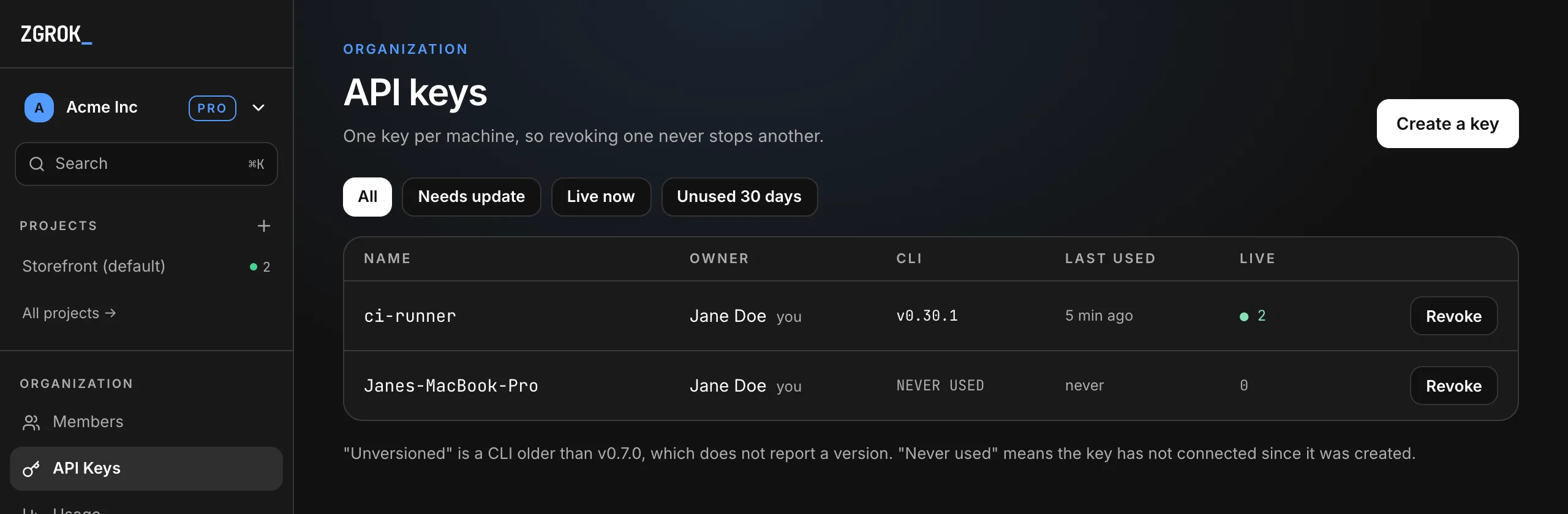
On a server or in CI, where nobody can approve in a browser, create a key on the API keys page and save it directly:
zgrok config add-authtoken YOUR_API_KEYUpdating
zgrok can update itself:
zgrok updateWhen a tunnel connects, the server says whether a newer version exists, and the CLI suggests zgrok update.
Next steps
- Quick Start: create your first tunnel